Inicio » How to Draw » How to Draw Prototype 1006 Step by Step | Poppy Playtime 5
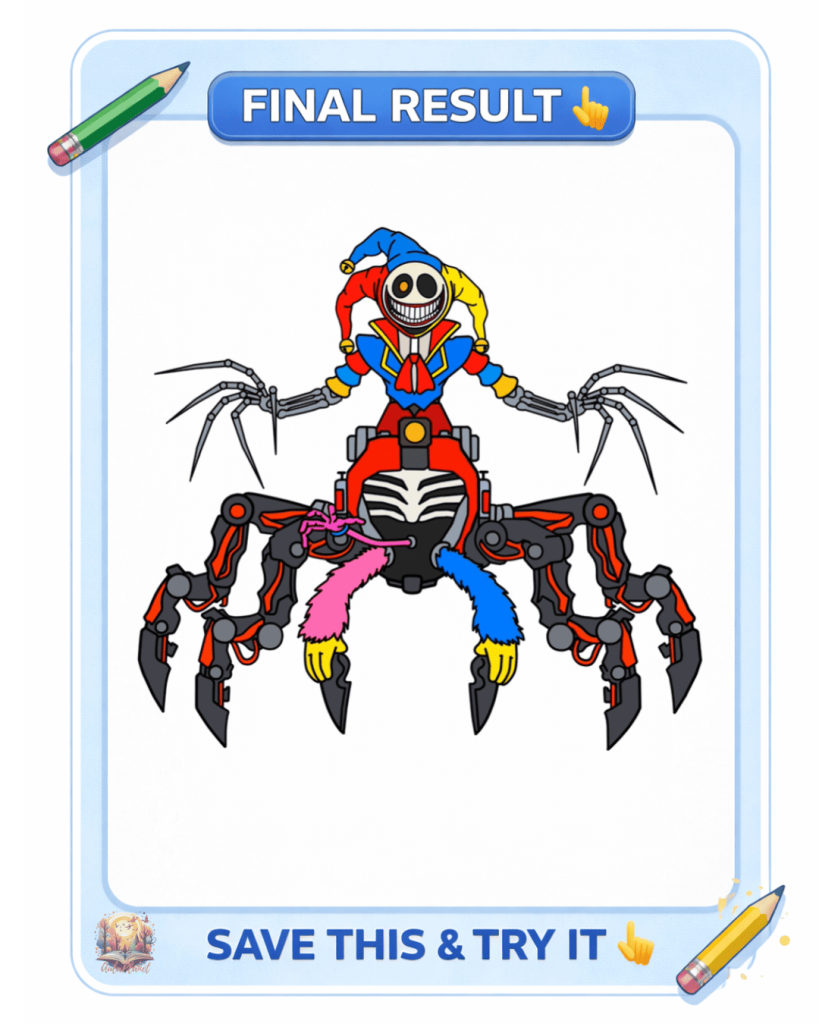
If you want to learn how to draw Prototype 1006 step by step, here’s a simple tutorial to help you start from scratch.
Prototype 1006 is one of the most mysterious and popular characters from Poppy Playtime 5, and with this guide you’ll be able to recreate it easily by following a few simple steps. This tutorial is perfect for beginners, kids, and fans of the game.
Get your materials ready… and start drawing!
Materials to Draw Prototype 1006
To create this drawing, you only need a few basic materials:
With these materials, you’ll be able to draw and color Prototype 1006 easily.
How to Draw Prototype 1006 Step by Step
Follow these steps to learn how to draw Prototype 1006 easily.
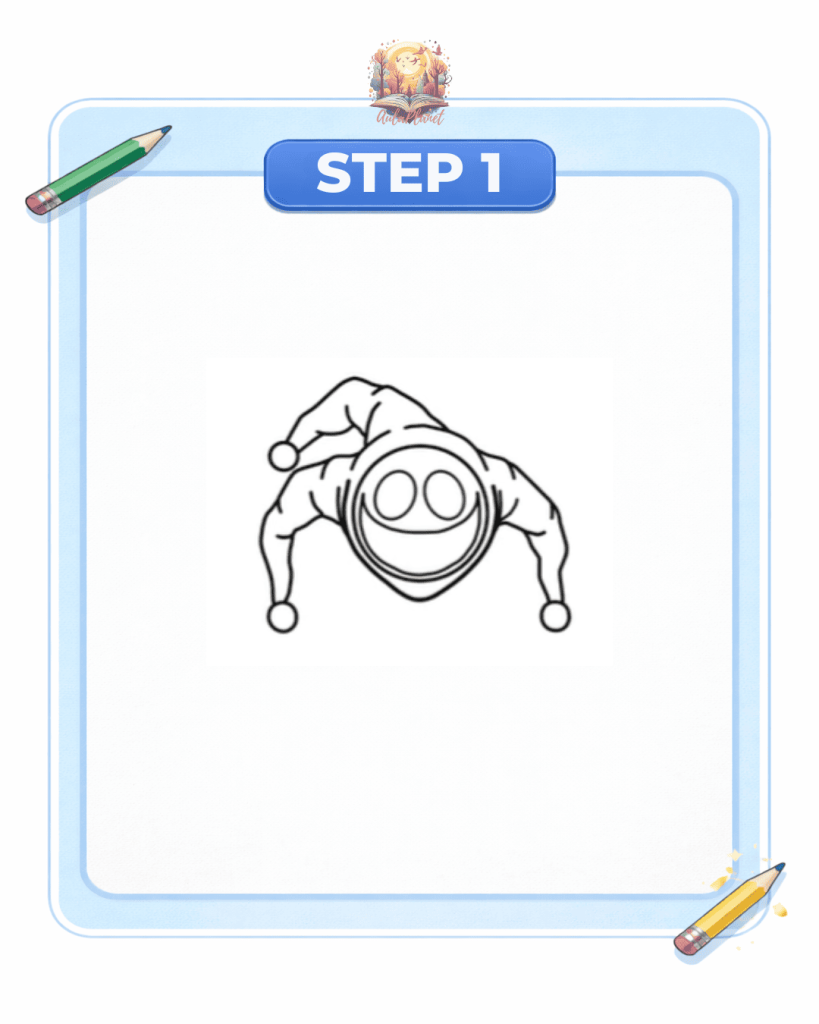
Step 1: Draw the Head
Start by drawing a circle that will serve as the base for the head. Then add the eyes and mouth, and finish by drawing Prototype 1006’s characteristic hat.
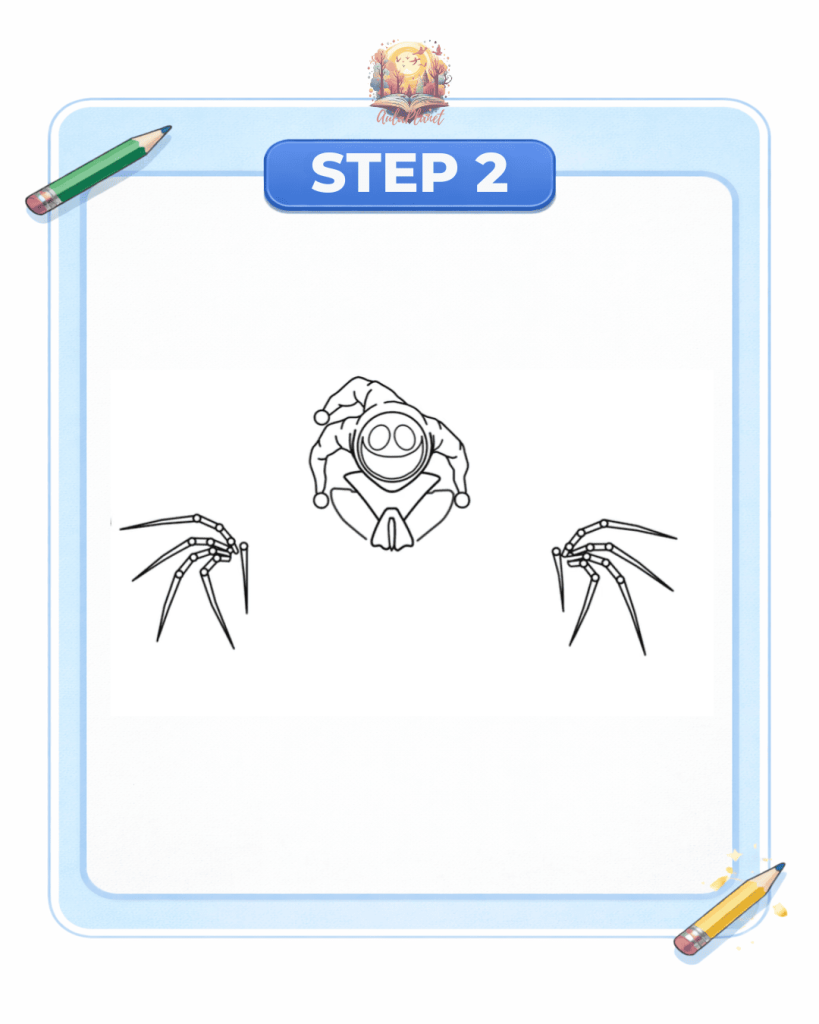
Step 2: Draw the Hands and Upper Body
Now draw the two blade-shaped hands, one of the most distinctive features of the character. Then add the upper part of the body.
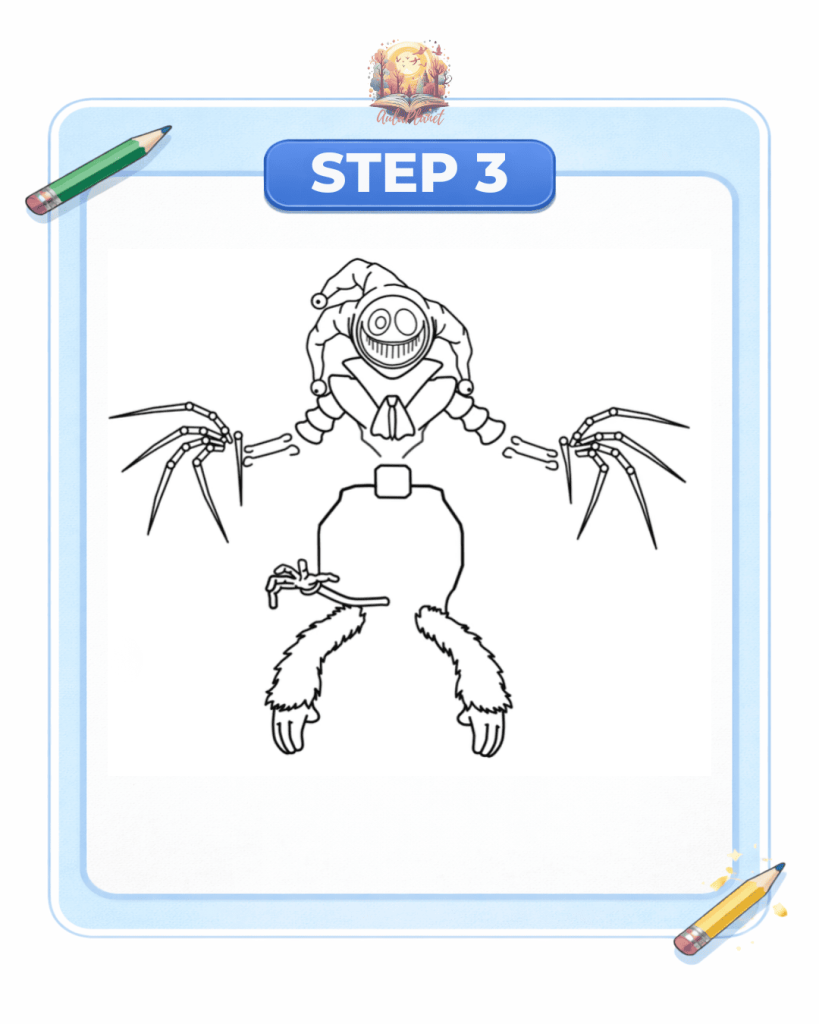
Step 3: Draw the Body
In this step, draw the outer shape of the body and add the inner hands located in the central area.
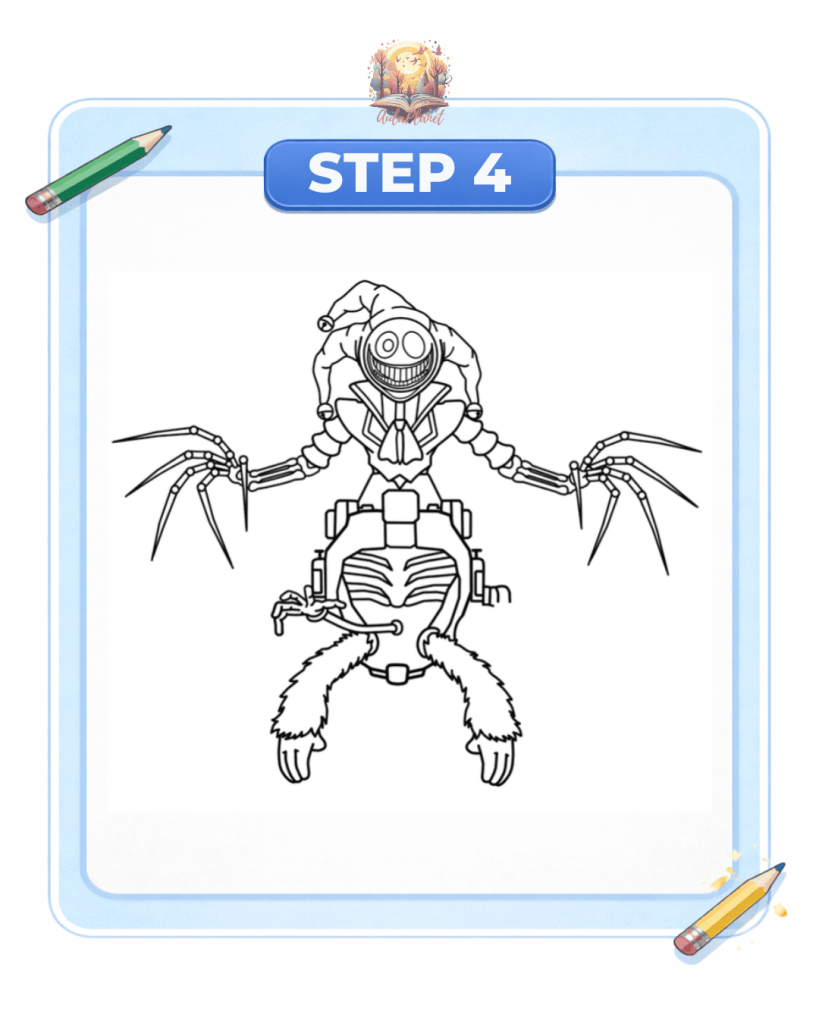
Step 4: Add Body Details
Next, draw the ribs and the rest of the body details to give it a more complete and recognizable look.
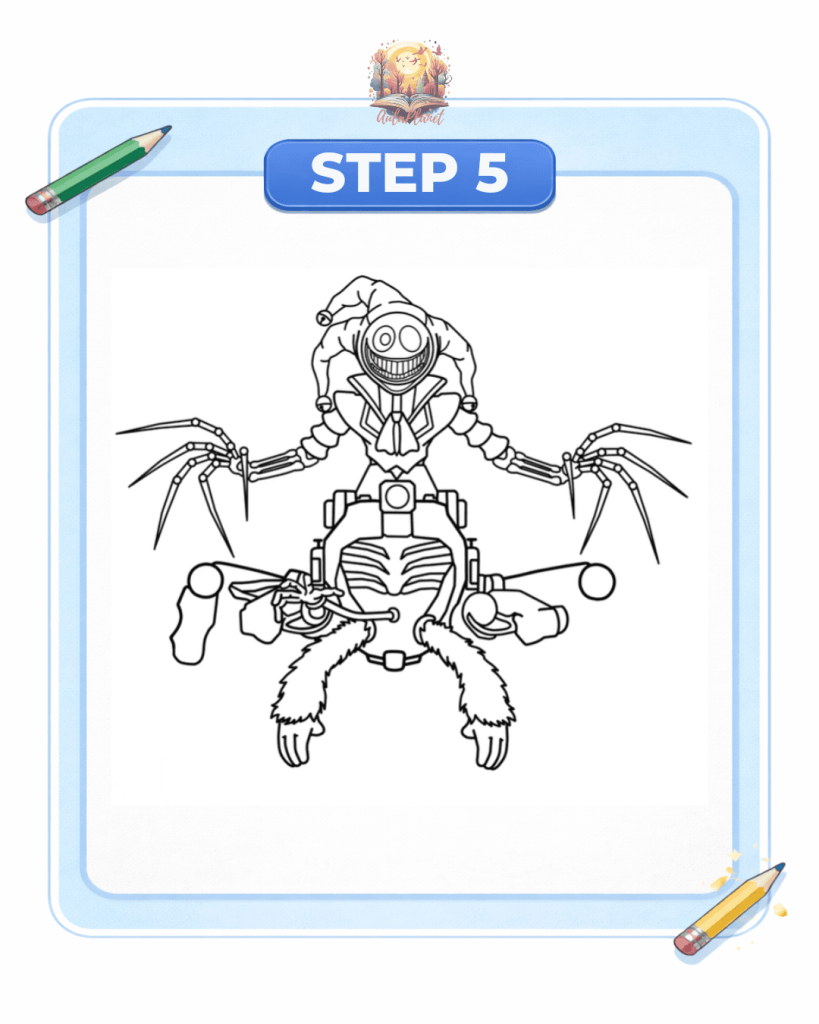
Step 5: Draw the Leg Structure
Since the legs are a bit complex, start by creating the general structure of both legs to make the next steps easier.
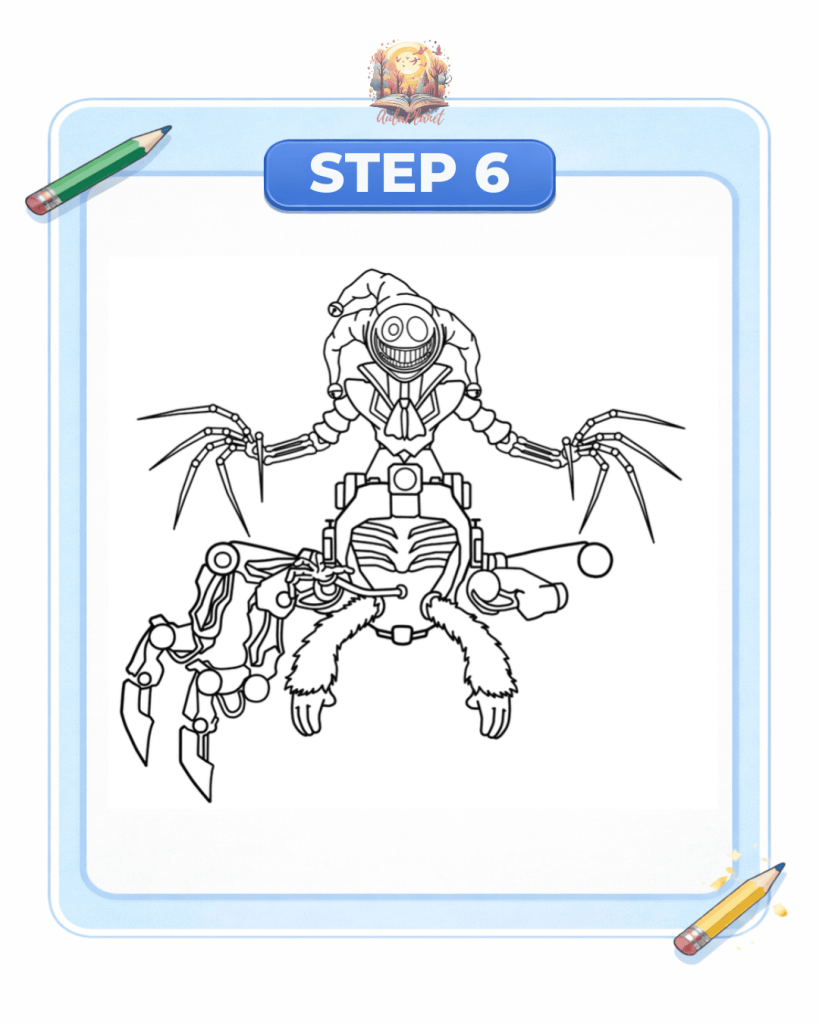
Step 6: Draw the Right Legs
Begin by drawing the legs on the right side, following their characteristic robotic style.
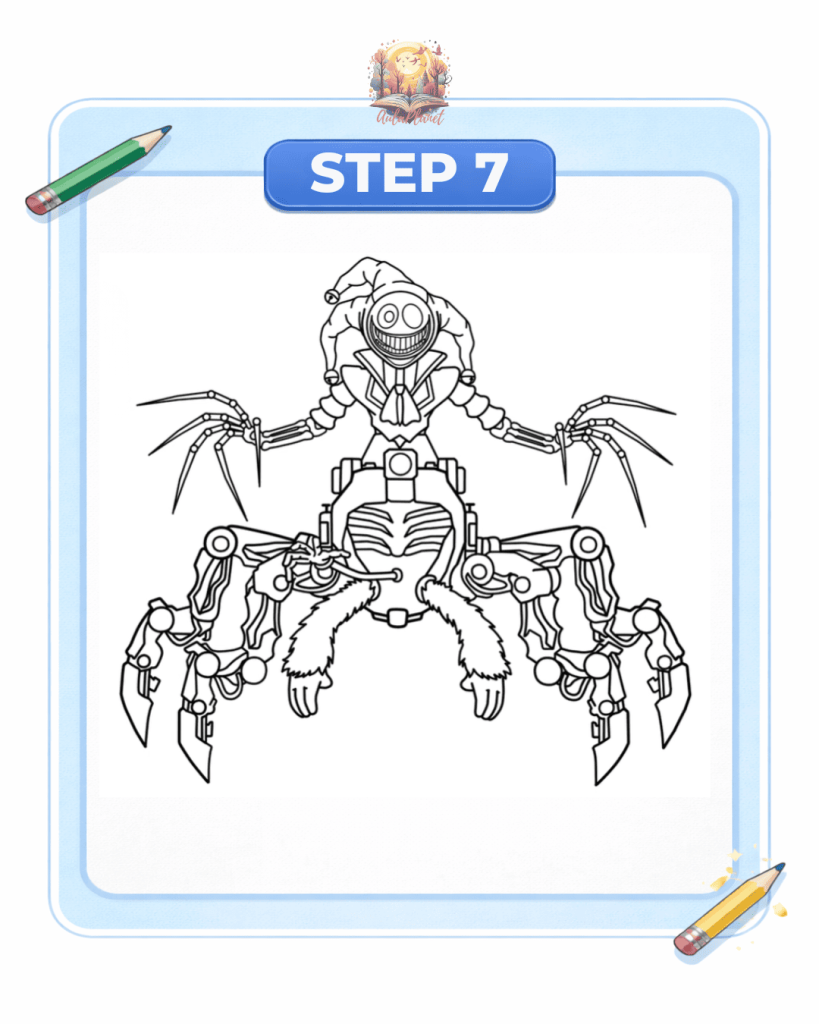
Step 7: Draw the Left Legs
Continue with the legs on the left side, following the same structure and style as in the previous step.
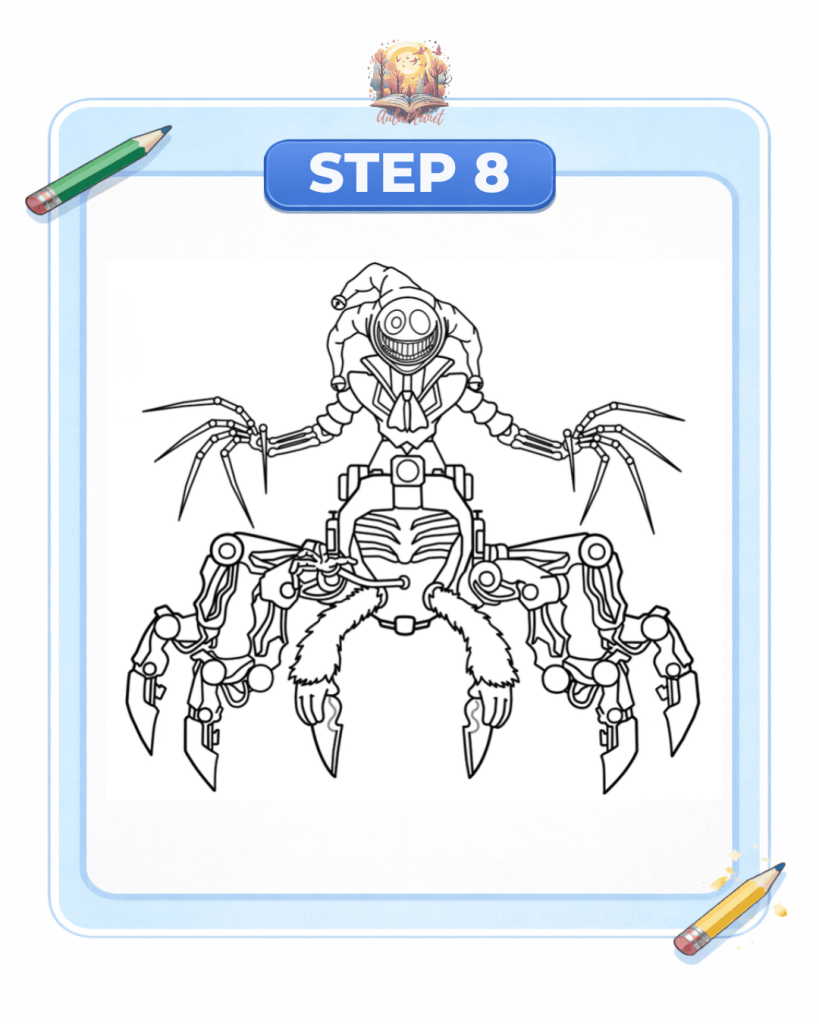
Step 8: Add Final Details
To finish the sketch, add two more blades in the central hand area and complete the final details of the character.
Then you can outline the drawing with a marker and erase the pencil lines.
Step 9: Color the Drawing
Finally, color Prototype 1006. Apply the base colors and add shading to give it more depth and a more professional finish.